
Last updated October 8, 2026
Non-destructive entry first, always - and we re-key Schlage, Kwikset, and Baldwin locks on the spot while you watch
You get a price before we start. It does not change when we arrive. No surprises.
Access Control Systems Maintenance Schedule: What to Do and When
The access fob your former cleaning service returned two years ago may still be active in your system. We’ve walked into Los Angeles homes where the hardware was spotless, the readers wiped clean, the batteries fresh, and the credential list still had a dog walker, an old roommate, and a contractor who finished the kitchen remodel in 2021 with active PINs. Physical maintenance and credential audits are almost never scheduled together, and that gap is where access control actually fails. This guide builds a maintenance calendar that treats the credential database as the primary asset to protect, with the hardware checks folded in around it, and complements our Access Control Systems Warning Signs Every Homeowner Should Know. By the time you finish reading, you’ll know exactly what to do monthly, what to do quarterly, what to do annually, and what to hand to a locksmith when you want a documented system history.
Quick Answer
An access control system maintenance schedule has two parallel tracks: physical hardware tasks (cleaning readers, testing batteries, checking strike and hinge alignment) and credential database tasks (reviewing active users, verifying time zones, confirming deleted users are actually deleted). Run physical checks monthly or quarterly depending on traffic, run credential audits quarterly without exception, and schedule a full professional inspection annually. In Los Angeles, add two extra triggers: a post-wildfire smoke check on optical readers and a post-earthquake door frame alignment check.
Table of Contents
- Why the Credential List Beats the Hardware Every Time
- Monthly Maintenance Tasks: The 15-Minute Pass
- Quarterly Credential Audit: The Security Task That Actually Matters
- Component-by-Component Inspection Guide
- Annual Tasks: Firmware, Batteries, and the Full System Walkthrough
- Los Angeles-Specific Maintenance Triggers: Wildfires and Earthquakes
- How to Keep a Maintenance Log Worth Handing Over
- Common Mistakes to Avoid
- When to Call a Professional
- Frequently Asked Questions
- The Bottom Line
Why the Credential List Beats the Hardware Every Time
Here’s the uncomfortable truth we’ve learned from servicing Access Control Systems across Los Angeles: a dirty reader fails slowly and visibly. A stale credential fails silently. When an optical reader gets grimy, the system starts rejecting valid fobs, someone complains, and the problem gets fixed. When a former nanny’s keypad code still works six months after she left, nothing looks broken. The system appears to function exactly as designed. That’s the failure mode that matters.
Think about how access gets granted in a household. A dog walker gets a temporary code for the side door. A physical therapist gets a fob for twice-weekly visits. A friend staying for a month gets their own PIN. Each credential gets added during a moment of convenience, and almost no one schedules its removal. The hardware maintenance question is whether the system works. The credential question is whether the system works for the right people. One of those questions gets ignored because the other one feels more urgent.
Our recommendation: build your maintenance calendar around the credential audit. Let the physical checks ride along. That inversion, putting the database first, is what separates a security system from a door that opens when you tap a card.
Monthly Maintenance Tasks: The 15-Minute Pass
The monthly pass is about catching small problems before they become lockouts. Set aside 15 minutes on the first Saturday of each month. Here’s the sequence we recommend, in order of importance.
- Test every credential type once. Use a fob on the front reader, enter a PIN on the keypad, and check the mobile app if your system supports it. If any credential type fails while others work, you’ve isolated the problem early.
- Wipe down each reader with a dry microfiber cloth. No sprays, no cleaners. Optical readers in particular are sensitive to residue. A dry wipe removes the film that builds up from skin oil and car exhaust drifting into the entryway.
- Check the door hardware by hand. Push and pull the door once with the strike released. If the latch doesn’t move freely, the electric strike or the mechanical latch is wearing. Small resistance now becomes a failed release later.
- Look at the LED indicators on each controller. If your controller is in a hall closet or utility room, glance at the status lights. A flashing error code that’s new since last month is worth a call before it becomes a full outage.
- Verify the event log is recording. If your system keeps an access log, confirm entries are being written. A system that stops logging is a system that’s already partially failed, even if doors still open.
This monthly pass is deliberately light. It’s not the time to reconfigure anything or start changing access levels. It’s a health check, and the point is consistency. Miss a month and the next check takes longer because you’re not sure what changed.
Quarterly Credential Audit: The Security Task That Actually Matters
Every three months, sit down with the user list in your system’s management app or web portal. This is the task that prevents the scenario from the opening of this guide: a returning fob from someone who hasn’t been in your home for two years, still hot in the system. The quarterly audit takes about 20 minutes and it’s the single highest-value maintenance task you can do.
- Pull the full active user list. Don’t skim it on a phone screen. Print it or pull it up on a desktop monitor. Every active user, every credential type, every access schedule.
- Ask three questions about each user. Does this person still need access? Do they still need this level of access? If they need access, are their time restrictions still correct?
- Delete first, then verify the deletion. Remove any user who fails question one. After deletion, confirm the credential no longer works by viewing the user list again. Some systems allow a “disabled” state that looks inactive but still permits entry. Verify.
- Check time-zone and schedule assignments. In Los Angeles, many systems have schedules with automated daylight saving adjustments. After the clocks change in March and November, verify your schedules still block the hours you intended to block.
- Update temporary credentials or let them expire. If you issued a temporary code for a contractor or houseguest, confirm the expiration date is set and correct. If the system doesn’t support expirations, switch that temporary code to a new one and note it in your log.
- Document the audit. Write down the date, the number of users reviewed, the number deleted, and the number modified. This is the audit trail that shows a future buyer, a landlord, or an insurance adjuster that the system is actively managed.
The quarterly audit is where the security value of your system lives. Hardware maintenance keeps the doors opening. Credential audits keep the doors opening for the right people. In a city the size of Los Angeles, with the constant churn of service providers, domestic help, and houseguests, every household accumulates stale credentials faster than it thinks.
Component-by-Component Inspection Guide
Different components fail in different ways, and the signs of wear are specific. Here’s what to look for on each part of a residential access control system, based on what we’ve seen in Los Angeles homes across a range of manufacturers including Schlage, Kwikset, and Medeco hardware.
Readers
- Optical and fingerprint readers: Clean monthly with a dry cloth. Watch for slow recognition times, especially in humid weather. Humidity from coastal air in neighborhoods like Santa Monica or Playa del Rey can leave a film that degrades optical scanning.
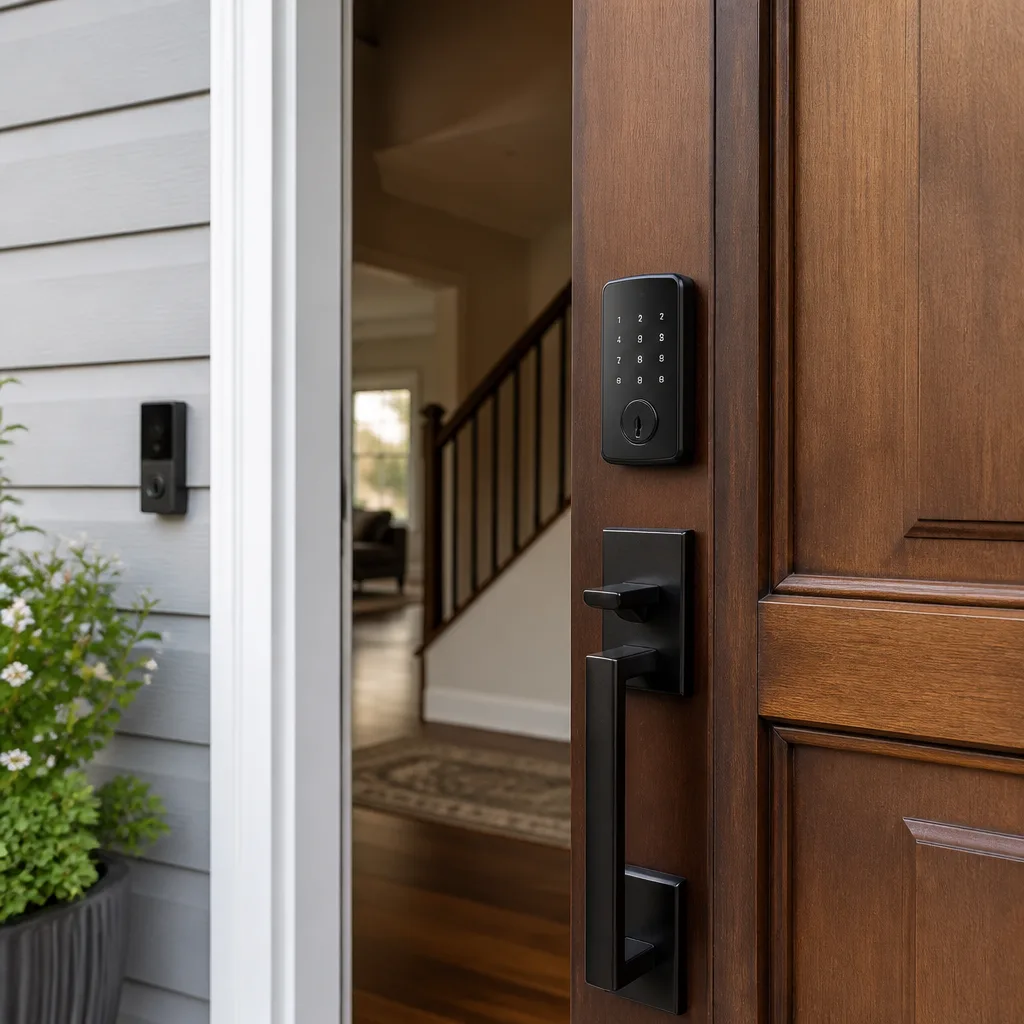
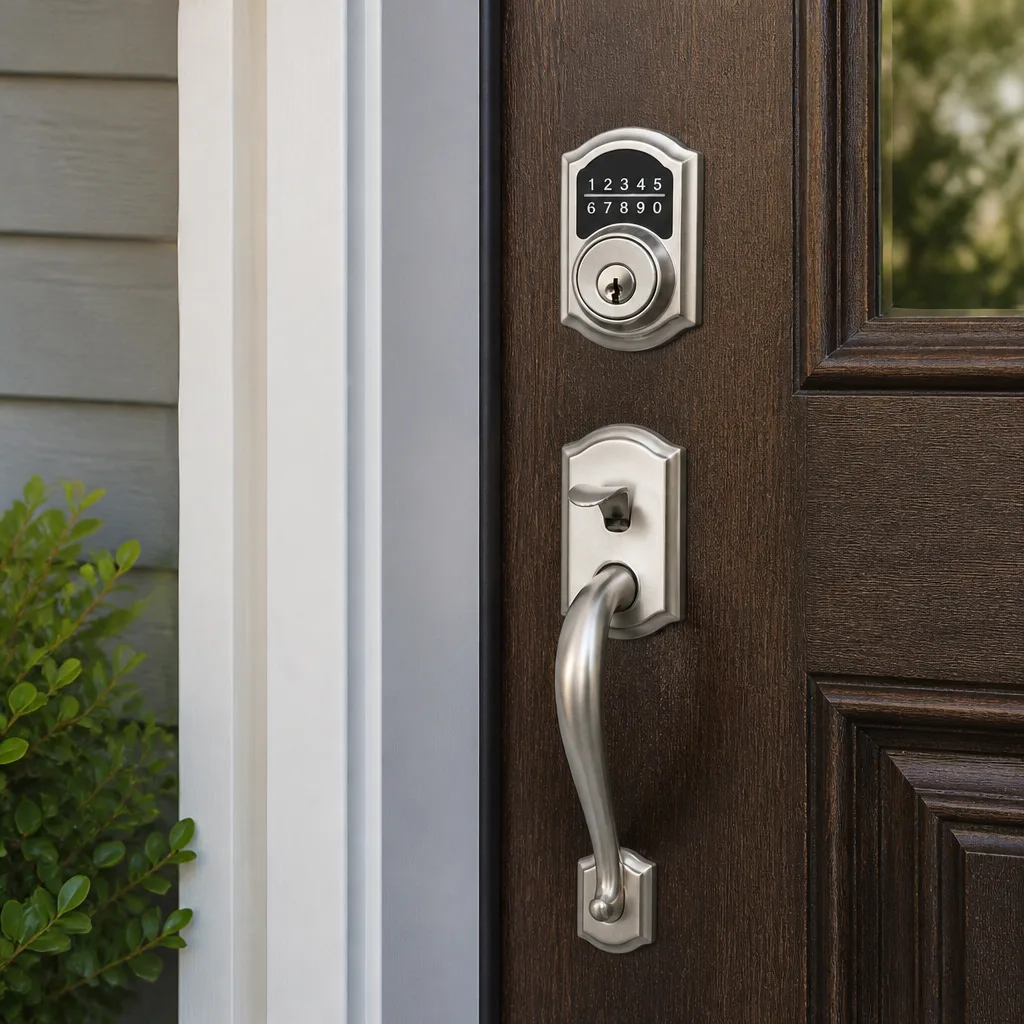
- Keypad readers: Check for worn or faded key legends. A keypad where the “3” is completely rubbed off still works, but it becomes harder to enter a PIN accurately, which increases lockout attempts.
- RFID and Bluetooth readers: Test the read distance. Refer to the manufacturer’s spec. If a fob that used to read from six inches now requires direct contact, the reader antenna is drifting or the fob battery is weak.
Controllers
- Power supply: Confirm the controller is on a stable circuit. If the power LED flickers or the unit reboots intermittently, check whether the outlet is shared with a high-draw appliance. In older Los Angeles homes with pre-1960s wiring, shared circuits are common and can starve a controller.
- Battery backup: Most residential controllers have a backup battery for power outages. Test it every six months by briefly cutting wall power and verifying the system stays up. A dead backup battery means a power outage is also a security outage.
Electric Strikes
- Strike alignment: With the door closed and locked, look at where the latch bolt meets the strike. If the bolt is scraping the edge of the strike opening, the door or frame has shifted. This is especially common after seismic activity, which we’ll cover below.
- Strike wear: Over time, the latch bolt wears a groove into the strike plate. Replace the strike when the groove is visibly deeper than the surrounding metal. A worn strike fails to release cleanly and can bind the door during entry.
Magnetic Locks
- Face-to-face contact: The maglock armature plate must sit flush against the magnet face. Check for dust, rust, or debris between the two surfaces. Even a thin gap significantly weakens the holding force.
- Holding force test: Once a year, after cleaning the contact surfaces, test the lock by pulling the door. It should hold firmly. If it releases with moderate force, the power supply or the magnet itself is degrading.
REX Sensors (Request to Exit)
- Motion detection range: Stand outside the sensor’s detection zone and approach the door normally. The door should release before you reach for it. If detection lags, the sensor lens may be dirty or the sensor has drifted out of alignment.
- False triggers: If the door releases when no one is approaching, something in the environment is triggering the sensor. Common culprits in Los Angeles homes are HVAC vents blowing warm air across the sensor, direct sunlight through a window, and pets walking through the detection zone.
Annual Tasks: Firmware, Batteries, and the Full System Walkthrough
Once a year, schedule a comprehensive maintenance pass. This is the task that goes beyond the monthly and quarterly checks and resets the system’s baseline. If you’re using a cloud-connected system, most of this takes place in the software before you ever touch the hardware.
- Update firmware on every connected component. Readers, controllers, keypads, and the hub itself if you have one. Skipping firmware updates on access control is a different risk category than skipping a phone app update. A phone app crash is an inconvenience. A firmware vulnerability in an access controller is an open door. Manufacturers including Schlage and Kwikset release security patches, and systems that don’t pull those patches stay exposed to known exploits longer.
- Update the management software or mobile app. Your user interface, credential database, and event log all live in the software layer. Outdated software may not be compatible with newer phone operating systems, which eventually locks you out of your own system management.
- Replace all fob and keypad batteries. Even if they tested fine at the quarterly audit, replace fob batteries annually. A fob battery that dies in your pocket at the front door is exactly the kind of small failure that becomes a security incident, especially at night in a city with Los Angeles-scale distances between home and a backup key.
- Lubricate the mechanical latch and hinges. Use a dry graphite or PTFE lubricant. Avoid wet oils that attract dust. If you have pets or young children in the home, PTFE-based lubricants are generally safer around curious hands and paws than solvent-heavy sprays.
- Walk every door in the system, inside and out. Test each credential type at each reader. Confirm the strike releases cleanly. Confirm the maglock releases immediately when the REX sensor triggers. Confirm the door re-latches securely after entry. This full walkthrough catches integration problems that individual component checks miss.
- Back up the system configuration. Export and store a copy of the system’s user list, schedules, and settings. If the controller fails, a backup is the difference between a one-hour restore and a full reprogramming job.
Much of this annual work can be done by a homeowner who’s comfortable with the management software. But there’s a real advantage to having a professional do the walkthrough, especially on a system with hardware from multiple manufacturers. A trained eye spots the wear patterns that a checklist doesn’t describe.
Los Angeles-Specific Maintenance Triggers: Wildfires and Earthquakes
Los Angeles has two environmental realities that most maintenance guides written for other cities simply don’t address. Both of them should trigger an immediate, unscheduled maintenance check on your access control system.
Post-Wildfire Smoke Residue
When wildfire smoke settles over Los Angeles, it doesn’t just affect air quality outside. The fine particulate matter works its way into entryways and leaves a residue on every horizontal and vertical surface, including optical readers, fingerprint sensors, and keypad electronics. We’ve seen optical readers in the San Fernando Valley and Santa Clarita areas fail recognition within days of a bad smoke event, even when the reader was indoors behind a screen door.
After any significant smoke event in your area, run this check:
- Wipe all readers with a dry microfiber cloth, then a cloth lightly dampened with distilled water. No solvents.
- Test recognition with each credential type. If optical or fingerprint performance is degraded, a deeper cleaning of the reader lens may be needed.
- Inspect the controller’s air intake or cooling vents if it has them. Smoke residue can accumulate on internal components and cause overheating in the weeks after the smoke clears.
Post-Earthquake Door Frame Alignment
Any earthquake strong enough to rattle picture frames in Los Angeles is strong enough to shift a door frame by a few millimeters. That shift is often invisible to the naked eye but enough to bind an electric strike or a maglock armature. After any quake that you felt in your home, even a small one, run this check:
- Open and close every exterior door in the system. Feel for resistance or scraping.
- Check the alignment between the latch bolt and the strike plate. If the bolt is no longer entering cleanly, the frame has moved.
- For magnetic locks, check the gap between the magnet face and the armature plate. A post-quake gap is common and can reduce holding force significantly.
- If alignment has shifted, this is a professional service call. Adjusting a strike plate or realigning a maglock requires precision work, and a poorly aligned strike will just fail again.
These two triggers, smoke and seismic, are why a generic maintenance schedule written for a city without these conditions underserves Los Angeles homeowners. Your access control system lives in a specific environment, and the maintenance schedule has to live in that environment too.
How to Keep a Maintenance Log Worth Handing Over
A maintenance log is the documentation that turns your access control system from a black box into a managed asset. When you sell the home, when you file an insurance claim, or when you hand the system to a locksmith for service, a log shows the system has been actively managed. Here’s the format we recommend, simple enough to keep in a note on your phone or a dedicated notebook.
- Date and type of check. Monthly pass, quarterly audit, annual walkthrough, or event-triggered check.
- What was inspected. List each component tested, not just “checked the system.” Specificity is what makes the log useful later.
- What was changed. Deleted users, replaced batteries, updated firmware, adjusted a strike plate. Note the before and the after.
- What was observed but not changed. “Keypad key #5 has visible wear but is still legible” is a valuable note. Three months later, you can see whether the wear is progressing.
- Who performed the check. Homeowner or technician. If a technician, note the company and the work order number.
A log that follows this format is exactly what a professional wants to see when diagnosing a problem. Instead of starting from scratch, the technician starts with a timeline. “The strike was adjusted in March, the misalignment returned by June, and the annual walkthrough found the frame had shifted again.” That’s a one-sentence diagnosis, and it only exists because the log exists.
If you’d prefer a professional audit rather than building your own log, a locksmith with access control experience can perform a documented system review and leave you with a written record. The Access Control Systems in Los Angeles team provides this as a standard service, including a written price before any work starts.
Common Mistakes to Avoid
- Maintaining the hardware and ignoring the credential list. This is the mistake this entire guide is built around. Clean readers don’t matter if a former tenant’s fob still opens the door. Run the quarterly audit without exception.
- Skipping firmware updates because “everything still works.” Access control firmware patches security vulnerabilities. A system that works today is a system with a known exploit tomorrow if the patch isn’t applied. This is the highest-risk shortcut on this list.
- Replacing reader batteries only when they die. A battery that dies inside a fob or keypad leaves you locked out at the worst possible moment. Annual replacement on a fixed schedule removes the variable. This is especially important in Los Angeles, where a lockout can mean a long drive from work to retrieve a backup key.
- Trusting a “disabled” user without verifying the credential actually no longer works. Some systems have a disabled state that looks inactive but still permits entry under certain conditions. After deleting a user, test the old credential yourself or have a family member do it.
- Ignoring post-earthquake alignment changes because the door “still closes.” A door that closes with slight resistance is a door that will eventually fail to latch or fail to release. Los Angeles door frames shift. Check them after every felt quake.
- Cleaning optical readers with glass cleaner or any solvent-based product. Solvent residues cloud the reader lens and degrade recognition permanently. Dry microfiber only, with distilled water if needed.
- Using wet oil lubricants on hinges and latches. Wet oils attract dust and grime, which accelerates wear. Dry PTFE or graphite lubricants are the correct choice for access control hardware.
When to Call a Professional
Most of the maintenance in this guide is doable by a homeowner with basic comfort in the management app. But some situations call for a trained technician, and recognizing those moments prevents a small issue from becoming a full lockout or a security breach. Call a professional when a strike plate or maglock has shifted out of alignment after an earthquake, when a controller is rebooting intermittently or showing error codes, when firmware updates require configuration changes you’re not comfortable making, or when a credential audit reveals signs that someone accessed the system without authorization. Blackthorn Locksmith & Security offers free estimates in Los Angeles - call (818) 390-9007. You’ll get a written price before any work starts, and the technician will walk the system with you before touching anything.
Frequently Asked Questions
Run a 15-minute physical check monthly, a full credential audit quarterly, and a comprehensive annual walkthrough with firmware updates and battery replacement. In Los Angeles, add unscheduled checks after wildfire smoke events and any earthquake you feel inside your home.
DIY maintenance costs almost nothing beyond replacement batteries and lubricant, typically $20 to $40 per year for those consumables across a four-door system. Professional maintenance in Los Angeles typically ranges from $150 to $400 per visit depending on system size and what’s included. A documented annual inspection with a written report costs more than a quick service call, and the price should be provided in writing before the work begins. For an exact quote on your system, call (818) 390-9007 - estimates are free.
Skipping firmware updates leaves your system exposed to known security vulnerabilities that the manufacturer has already patched. Access control firmware updates are security patches, not feature updates. A system that stays unpatched is vulnerable to exploits that require no special skills to execute. This is a different risk category than skipping a phone app update, and annual update cadence is the minimum we recommend.
Pull the active user list in your system’s management app and look for every user who no longer needs access. The only reliable way to confirm they’ve been removed is to delete the user, verify the deletion in the user list, and then test the old credential at the reader if possible. A quarterly audit with this exact process is the only defense against stale credentials.
Wildfire smoke residue degrades optical and fingerprint readers, and earthquake movement shifts door frames enough to bind strikes and maglocks. Los Angeles also has many older homes with shared or inadequate electrical circuits, which can starve controllers and cause intermittent reboots. These environmental factors mean a maintenance schedule written for another city is incomplete here.
Most monthly checks, quarterly credential audits, and cleaning tasks are within a homeowner’s reach. Annual firmware updates, post-earthquake strike realignment, and any issue involving controller internals or maglock holding force are better handled by a professional. A hybrid approach works well: you run the regular cadence, and a locksmith handles the annual walkthrough and any repairs. If you’d like a professional review, call (818) 390-9007 for a free estimate.
The Bottom Line
Access control maintenance is a two-track system, and the track most people ignore is the one that matters most. The credential database decides who gets in. The hardware decides whether the mechanism works. Both need scheduled attention. Monthly physical checks, quarterly credential audits, annual firmware and battery work, and event-triggered checks after Los Angeles wildfires and earthquakes. That’s the full schedule. Keep a written log so the system’s history is documented, and call a professional when the frame shifts or the controller misbehaves. The point isn’t a clean reader. The point is a system that opens for the right people and nobody else. For more guides & resources, see our blog.
Written by Shane Delaney, Owner at Blackthorn Locksmith & Security home, serving Los Angeles since 2008.